Lighting & Webcam
The best desk lighting and webcams
On a small desk, a monitor-mounted light and a clip-on webcam upgrade your lighting and calls without taking up any surface space.
Best lighting and webcam picks
BenQ ScreenBar Monitor Light
BenQ
A monitor-mounted light bar lights your desk without a lamp taking up surface space, and it won't cast glare on the screen.
- Best for
- Small desks with no room for a lamp, and dim rooms that strain your eyes.
- Skip if
- Very thick, curved, or ultrawide monitors the clip may not fit.
- Watch out
- Confirm the clip fits your monitor's thickness/curvature. USB-powered — you'll need a spare port.
Check Amazon for current price. Ratings and availability change. Verify on Amazon.
Check price on Amazon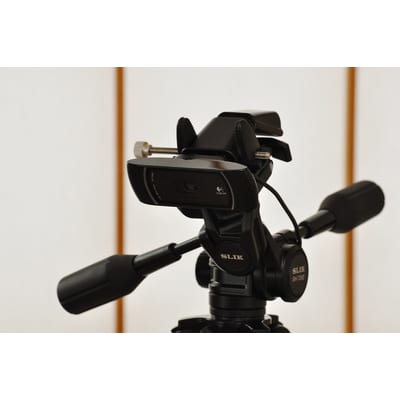
Logitech C920x HD Pro Webcam (1080p)
Logitech
Reliable 1080p video and solid autofocus make calls look far better than a built-in laptop camera, and it clips neatly to a monitor.
- Best for
- Anyone taking regular video calls on a laptop or a monitor without a good built-in camera.
- Skip if
- Those who already have a strong built-in webcam and rarely call.
- Watch out
- Check that the clip fits your monitor. Confirm it's the C920x variant you're ordering.
Check Amazon for current price. Ratings and availability change. Verify on Amazon.
Check price on AmazonKey buying criteria
- Space-saving mount. Monitor-mounted gear frees the desktop.
- No glare. A good light bar lights the desk, not the screen.
- Clear video. 1080p with reliable autofocus for calls.
What to check on Amazon before buying
- Clip fit for your monitor.
- Spare USB ports.
- Webcam resolution/variant.
- Light color temperature options.
Setup and usage tips
- Aim the light at the desk. Not the screen, to avoid glare.
- Set the webcam at eye level. Clip it to the top of the monitor.
- Add a little side light. Softens shadows on video.
Common mistakes to avoid
- Clip won't fit. Check monitor thickness/curvature for both.
- No spare USB port. Light bars and webcams need one.
- Relying on the laptop cam. Built-in cameras look worse on calls.
How we choose
- We start from the buyer's actual problem, not the highest commission.
- We prioritize products with a long track record and broad availability.
- We call out who a product is wrong for, not just who it is right for.
- We tell you exactly what to verify on Amazon before you buy.
We only earn if you buy through our links, and it never changes the price you pay or what we recommend.
Final recommendation
The BenQ ScreenBar lights a small desk without a lamp, and the Logitech C920x makes calls look far better than a laptop camera — both clip on and use zero desk space.
Get the free buying checklists
One useful email when we publish a new guide or printable. No spam, unsubscribe anytime.
Free download: Small-Space Desk Setup Checklist (printable PDF)
Editorial guide last updated 2026-07-02. Product details require manual verification on Amazon before purchase.